Microsoft Modern Workplace Solutions bring together Microsoft 365, Teams, and cloud-based productivity tools to help organizations enable secure, flexible, and collaborative work environments. It goes beyond simple software licensing — combining communication, collaboration, security, and device management into one connected ecosystem that supports both in-office and remote/hybrid work models.
A unified communication and collaboration hub combining chat, video meetings, voice calls, and file sharing in one application. Teams allows organizations to reduce reliance on scattered communication channels (email, personal messaging apps) by centralizing conversations, meeting notes, and shared files within organized channels — improving both internal collaboration and external client communication.

Familiar productivity applications — Word, Excel, PowerPoint, Outlook — available across desktop, web, and mobile, with real-time co-authoring so multiple people can work on the same document simultaneously. Cloud-based storage ensures documents are always up to date and accessible from any device, eliminating version-control issues common with locally saved files.
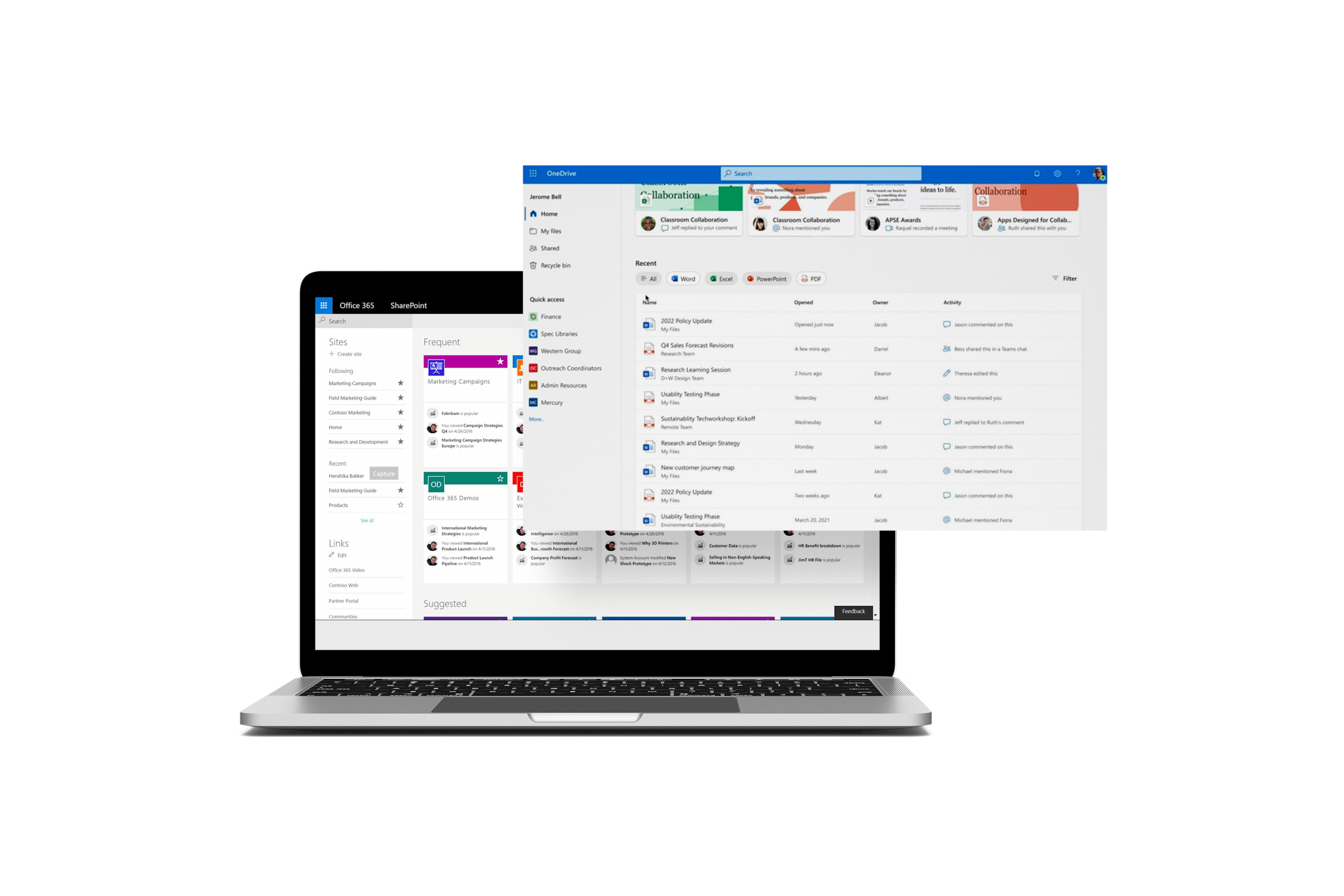
SharePoint provides a structured platform for team document libraries, intranet sites, and knowledge management, while OneDrive gives individuals secure personal cloud storage accessible from anywhere. Both include granular permission controls and version history, ensuring documents are protected, organized, and easily retrievable — replacing scattered local files and unmanaged shared drives.
Powered by Microsoft Entra ID (formerly Azure AD), this feature provides secure single sign-on (SSO) and multi-factor authentication (MFA) across all applications and devices. Conditional access policies can restrict access based on location, device compliance, or risk level — protecting company data even as employees work from various devices and locations.
Using Microsoft Intune, IT teams can centrally manage and secure company-owned and employee-owned (BYOD) devices — enforcing security policies, pushing software updates, and remotely wiping data from lost or stolen devices. This ensures consistent security standards across the organization’s device fleet without requiring manual, device-by-device configuration.

Built-in tools to classify, label, and protect sensitive information (such as financial data or personal information) automatically, along with data loss prevention (DLP) policies that prevent sensitive data from being shared inappropriately. Compliance features also support regulatory requirements such as data retention policies and audit trails, reducing legal and operational risk.
They're suitable for organizations of any size looking to modernize their IT infrastructure and collaboration environment — particularly companies transitioning to hybrid work, expanding across multiple locations, or needing stronger data security and compliance.
Microsoft 365 refers to the licensing bundle of apps and services (Teams, Word, Excel, security tools, etc.). Modern Workplace Solutions refer to the full implementation approach — properly configuring, securing, integrating, and rolling out those tools across your organization to match your specific business needs, rather than just providing software licenses.
Yes. Tools like Teams, SharePoint, and OneDrive enable seamless collaboration regardless of location, while Identity & Access Management and Endpoint Management ensure secure access and device compliance whether employees work from the office, home, or on the go.
Information Protection & Compliance tools automatically classify and label sensitive data, apply data loss prevention (DLP) policies, and enforce access controls through Microsoft Entra ID — reducing the risk of data leaks or unauthorized access, even across multiple devices and locations.
Yes. Using Microsoft Intune, IT teams can centrally manage and secure both company-owned and employee-owned devices — enforcing security policies, pushing updates, and remotely wiping data if a device is lost or stolen.
Yes. Built-in compliance features support data retention policies, audit trails, and information protection standards, helping organizations meet regulatory requirements relevant to their industry and region.
Implementation timelines vary depending on the complexity of the project, data availability, and integration requirements. Basic dashboards can often be delivered within a few days, while enterprise-scale analytics solutions involving multiple data sources, governance, and advanced modeling may require several weeks or months.
We provide post-implementation support including system maintenance, troubleshooting, updates, and additional training based on your evolving business needs.